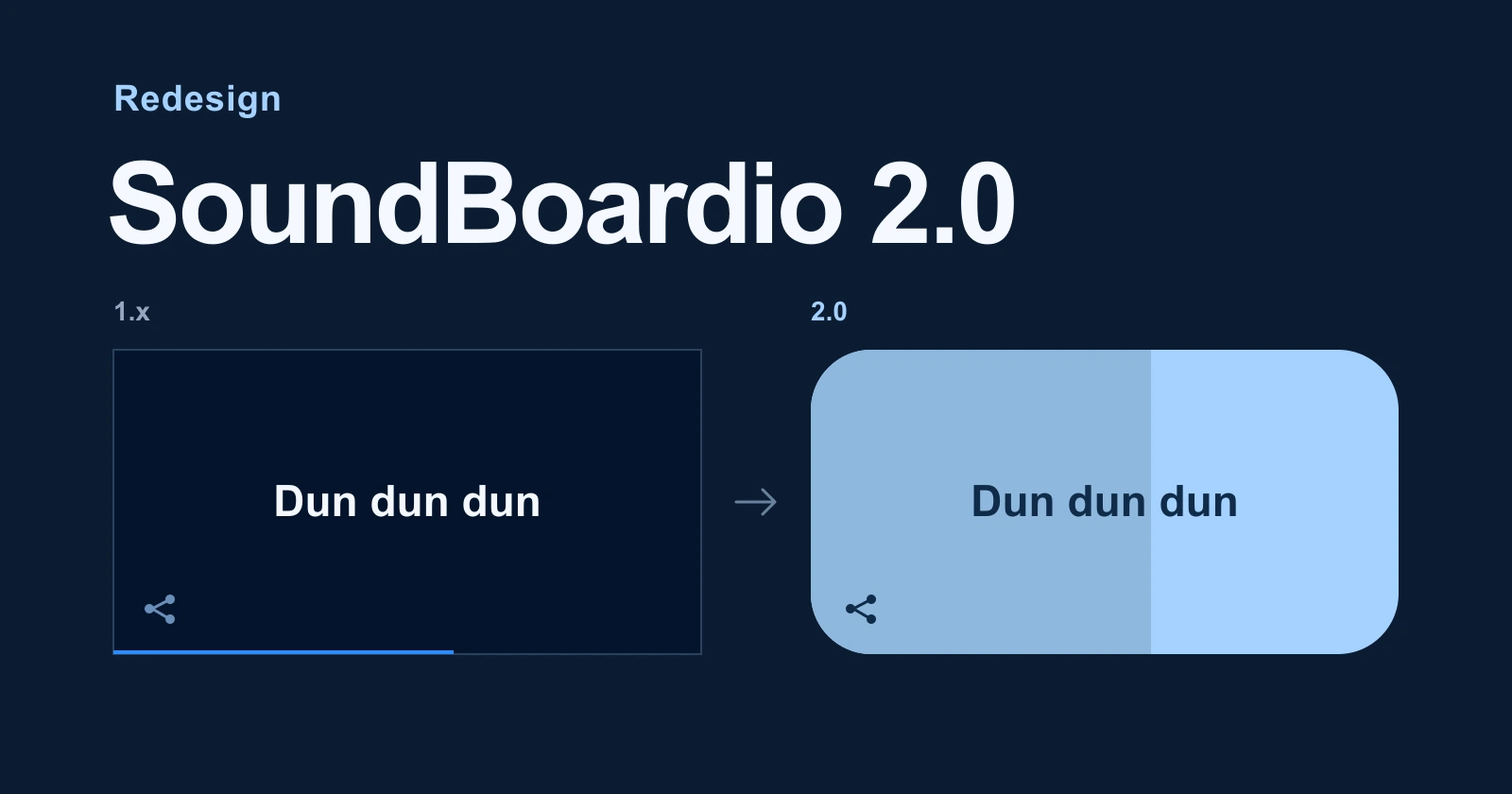
SoundBoardio 2.0 brings rounder tiles, a shared toolbar and more movement to the interface. Corners react to a press, playing tiles follow the sound, and shared quotes get their own reveal. Here’s the old and new design side by side.
Each comparison shows the previous design on the left and the redesign on the right.
The board, before and after#
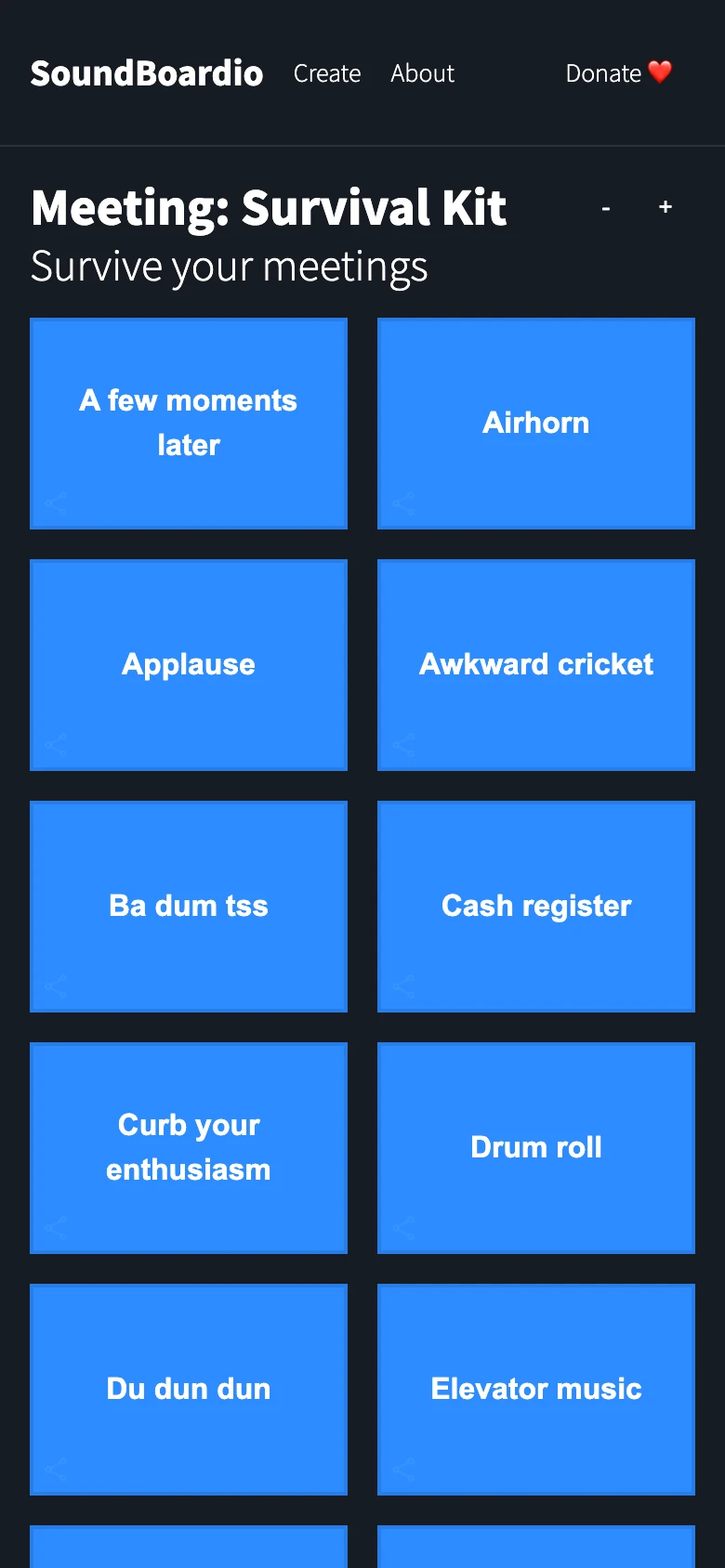
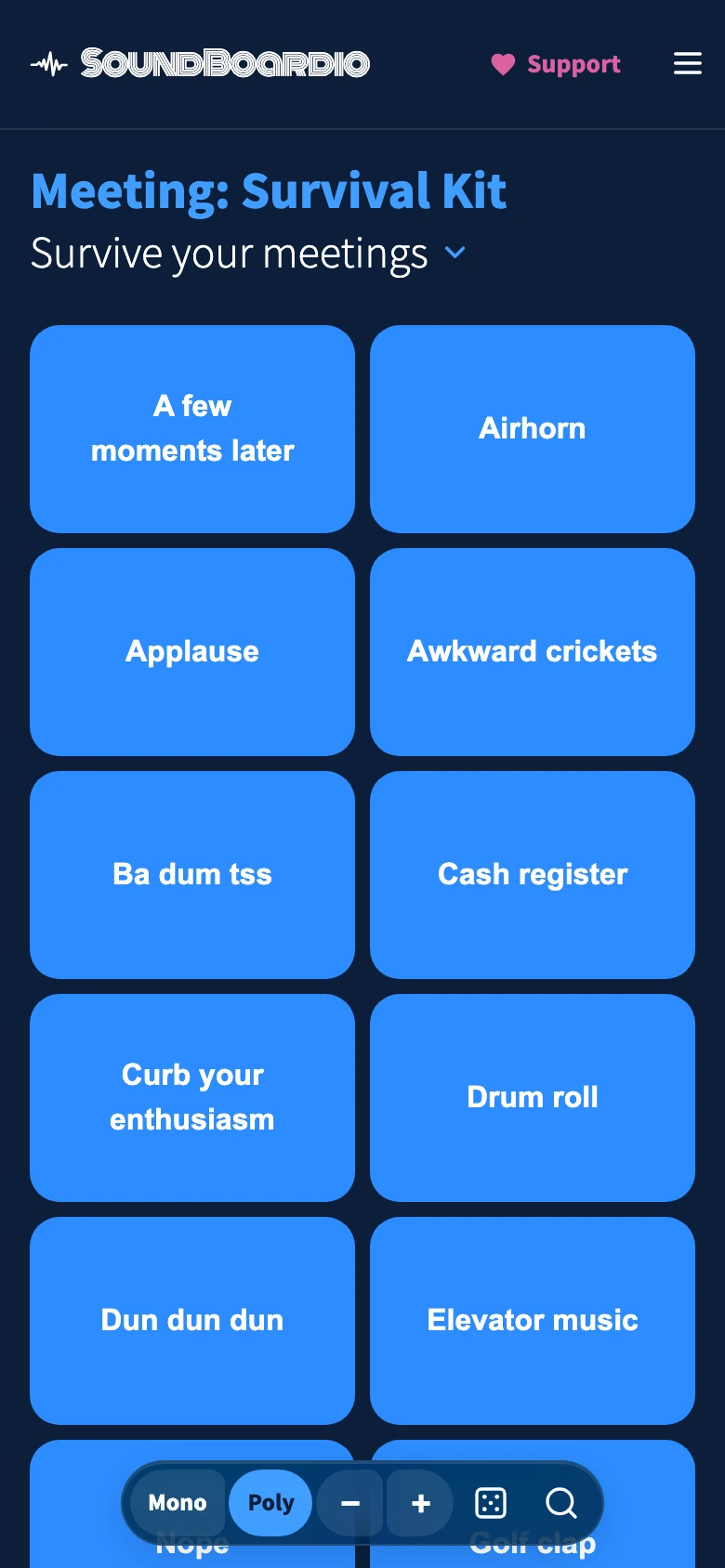
The Meeting board on a phone shows the overall change. In the previous design, blue tiles sat on a neutral dark background, with a plain text logo and zoom controls beside the title. Now the background takes its color from the board, the header has a new wordmark, and playback, zoom and search share a floating toolbar. The tiles keep their blue, with rounder corners and smaller gaps.
The redesign runs through three parts of the interface:
Shape, movement and controls#
A tile should have something to do while it plays#
A playing tile used to turn dark and showed a thin progress line along the bottom. It told you which sound was playing, but a whispered line and a dramatic “Dun dun dun” looked much the same.
Now the tile turns light and fills as playback progresses. Its corners also follow the loudness: rounder when the sound is loud, tighter when it goes quiet. Watch the “Dun dun dun” tile below, or play it on the Meeting board.
The fill and the corners do different jobs. The fill shows how much of the clip is left. The corners give a little of its delivery to a button that would otherwise sit still.
The redesign adds animation beyond the playing tiles, too. Hover over a tile and its corners round out; press it and they tighten. Buttons also change shape when pressed, then ease back on release. These small movements make the moment you touch a control visible, even before a sound starts.
The sound-following animation uses loudness measurements saved for our boards. Boards from other people’s repositories use a regular pulse instead.
The controls, together#
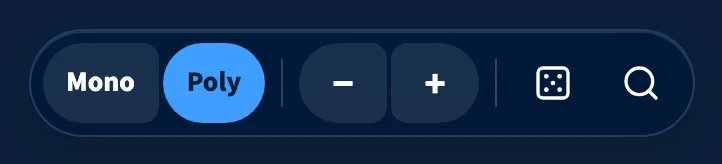
The Meeting board now puts the controls in one toolbar. The old “Poly Overlapping” switch became Mono and Poly: one sound at a time, or several together. Zoom, a random quote and search sit alongside it. The shared pill gives these controls one outline, separate from the grid of sounds.

Below the tiles#
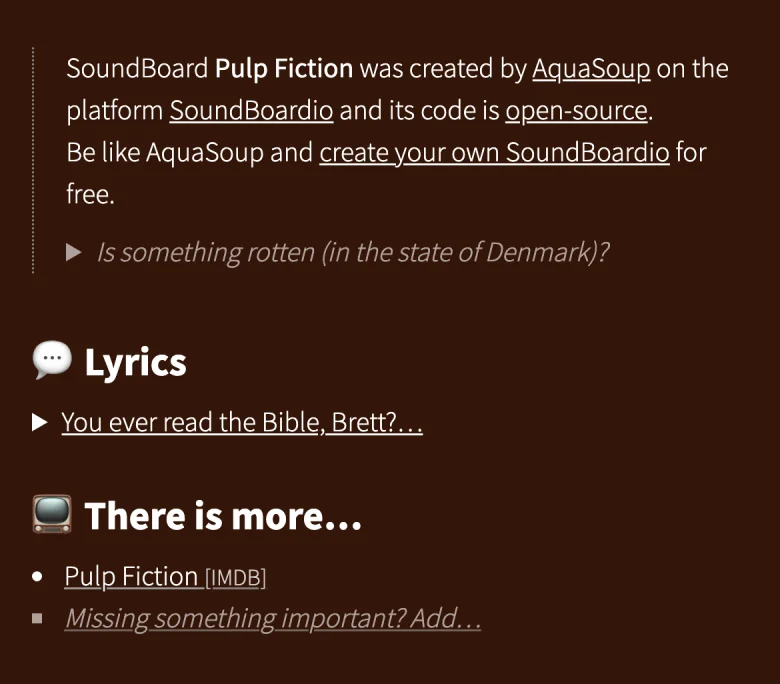
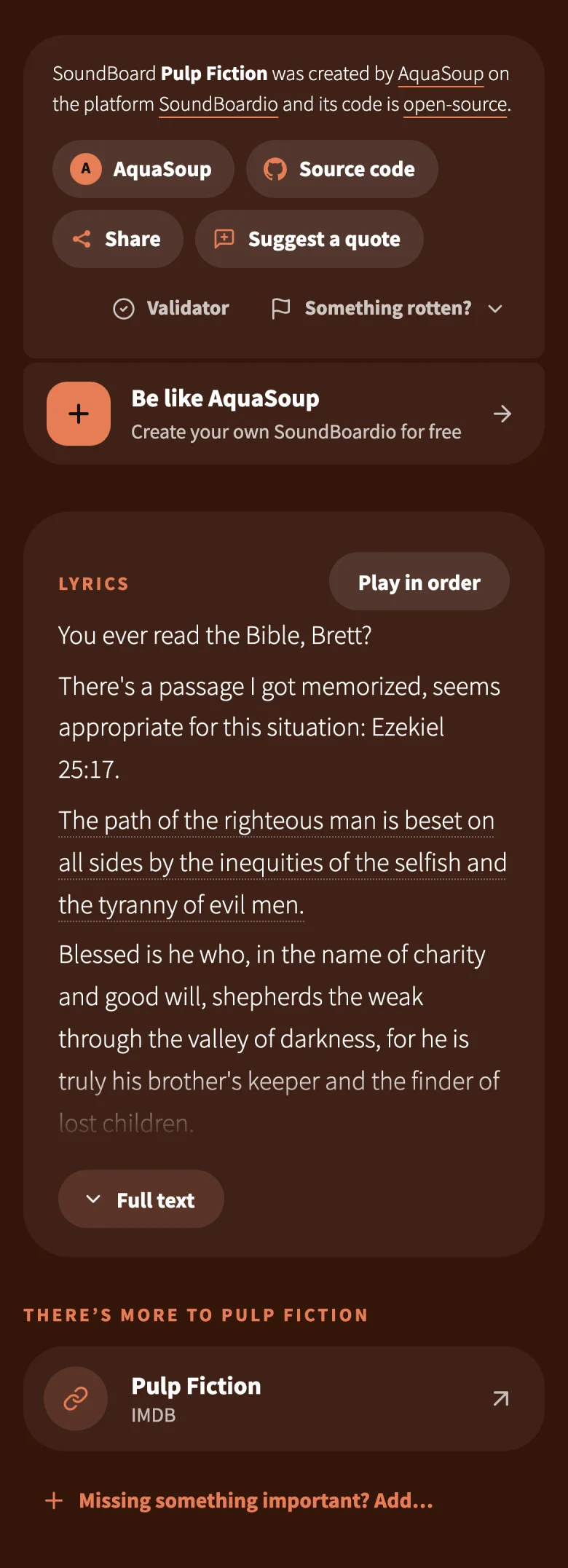
The author, source code, sharing and suggesting a quote used to sit among plain text links. They now have buttons of their own, with separate cards for the scene text and links to the film or series. You can find them below the tiles on the Pulp Fiction board.
Let the sound deliver the punchline#
On a board, labels help you choose a quote. In a shared link, that same label can give it away.
The old sharing overlay started with a play button, then showed the quote’s name as soon as you pressed it. For a short sound effect, that could spoil most of the surprise.
A shared link now opens in the board’s color with one big “Play it” button. It pulses during playback. The quote’s name and the board it came from appear afterwards.
Try the shared “Ba dum tss” link to see the reveal for yourself.
This deliberately asks the recipient to press play without seeing the title first. That suits a joke sent by a friend. Once it has played, they can replay it or explore the rest of the board.
Play the scene in order#
A board can include the full text of a scene. It used to sit folded beneath the tiles as plain text. It occupied a different part of the page from the buttons that played the lines.
In the redesign, the text itself becomes a way to play the scene. Individual lines are linked to their sounds, and the active line lights up. You can read and listen in the same place.
The “Play in order” button plays the quotes in sequence and scrolls with the current line. On the Pulp Fiction board, you can follow the exchange without having to find and press each tile yourself.
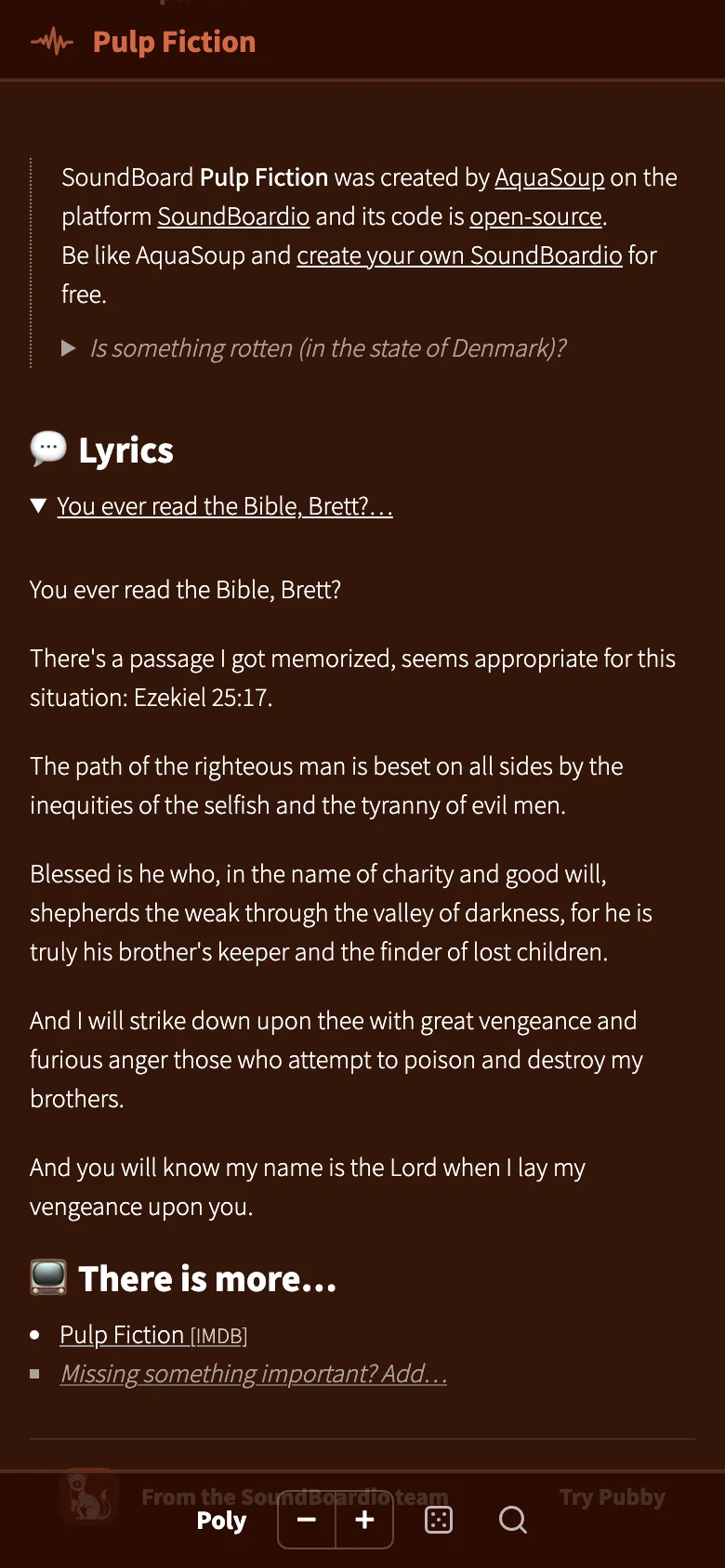
Open the Pulp Fiction scene text and press “Play in order” to follow the exchange. You can also press a linked line to play just that quote.
Alongside the redesign#
The release also changed search, language defaults and the pages for making a board. These came with their own interface updates.
Remember the line, forget the board#
Search used to stop at the edge of the board you had open. Searching the Meeting board for “what” gave you “Nothing found”, even though Pulp Fiction had several matches.
Now an empty local search also shows matches from our other boards. Search the Meeting board for “what” to try it. Pick a match and its board opens with your search already filled in.
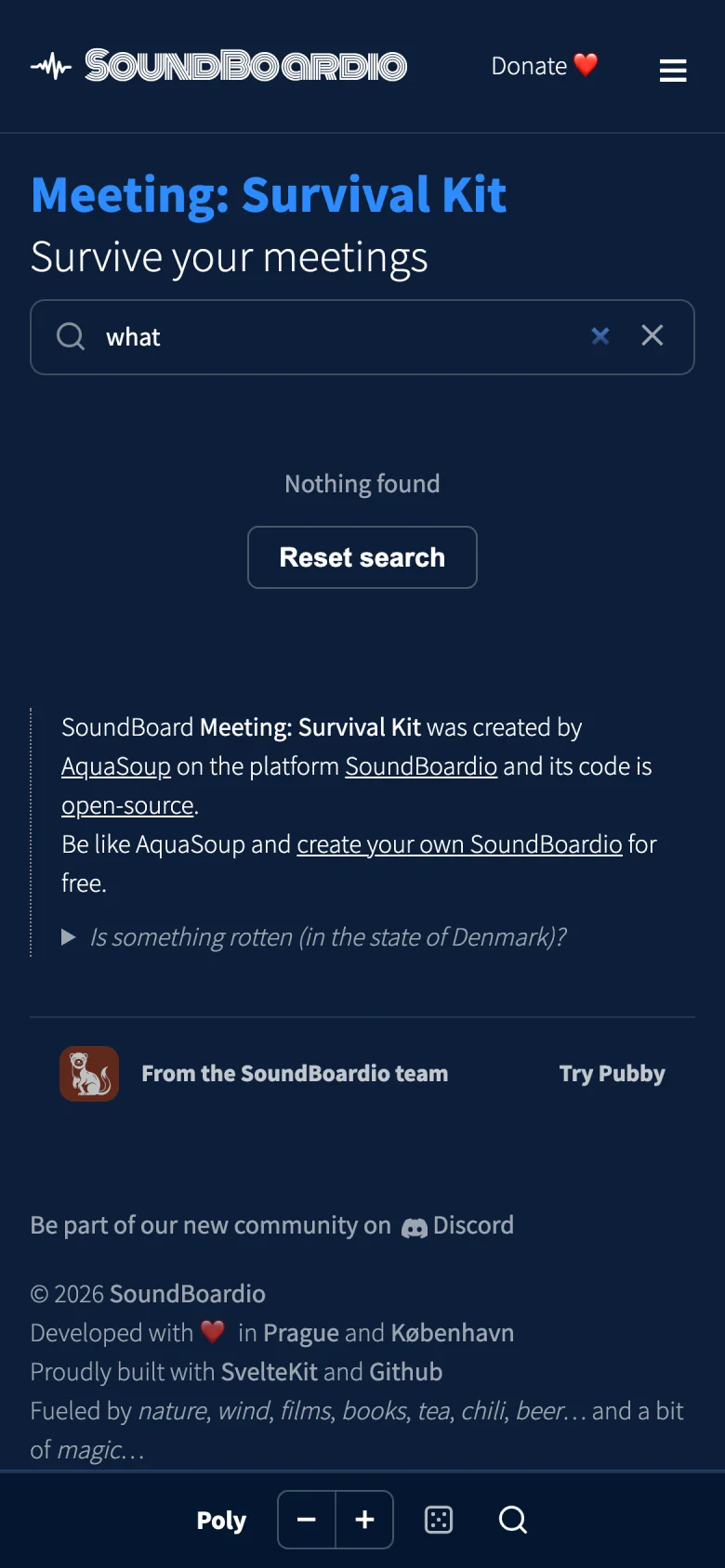
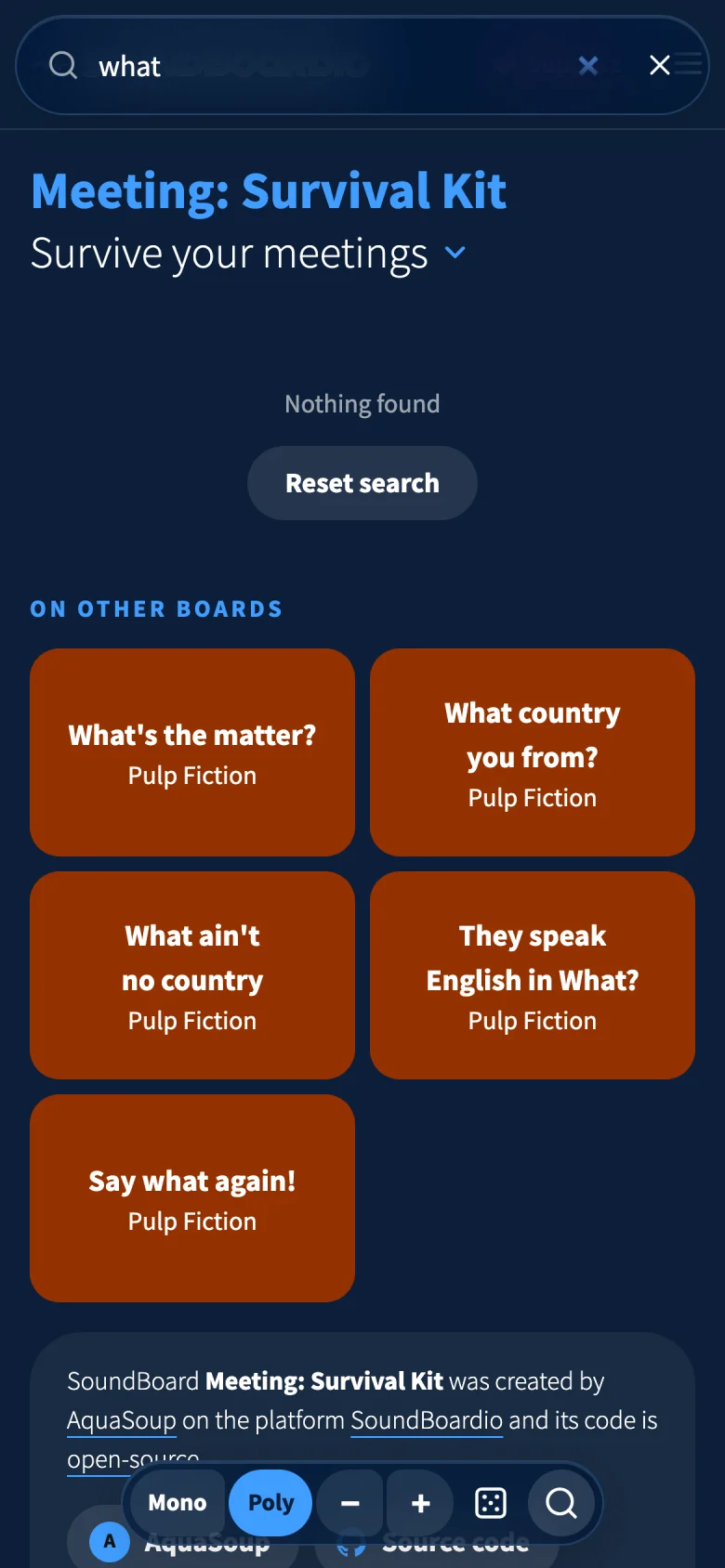
The boundary still matters: if the current board has a match, search stays there. This is a way out of an empty result. It covers our listed boards, so a quote in an unlisted repository won’t appear here.
Czech at the front door#
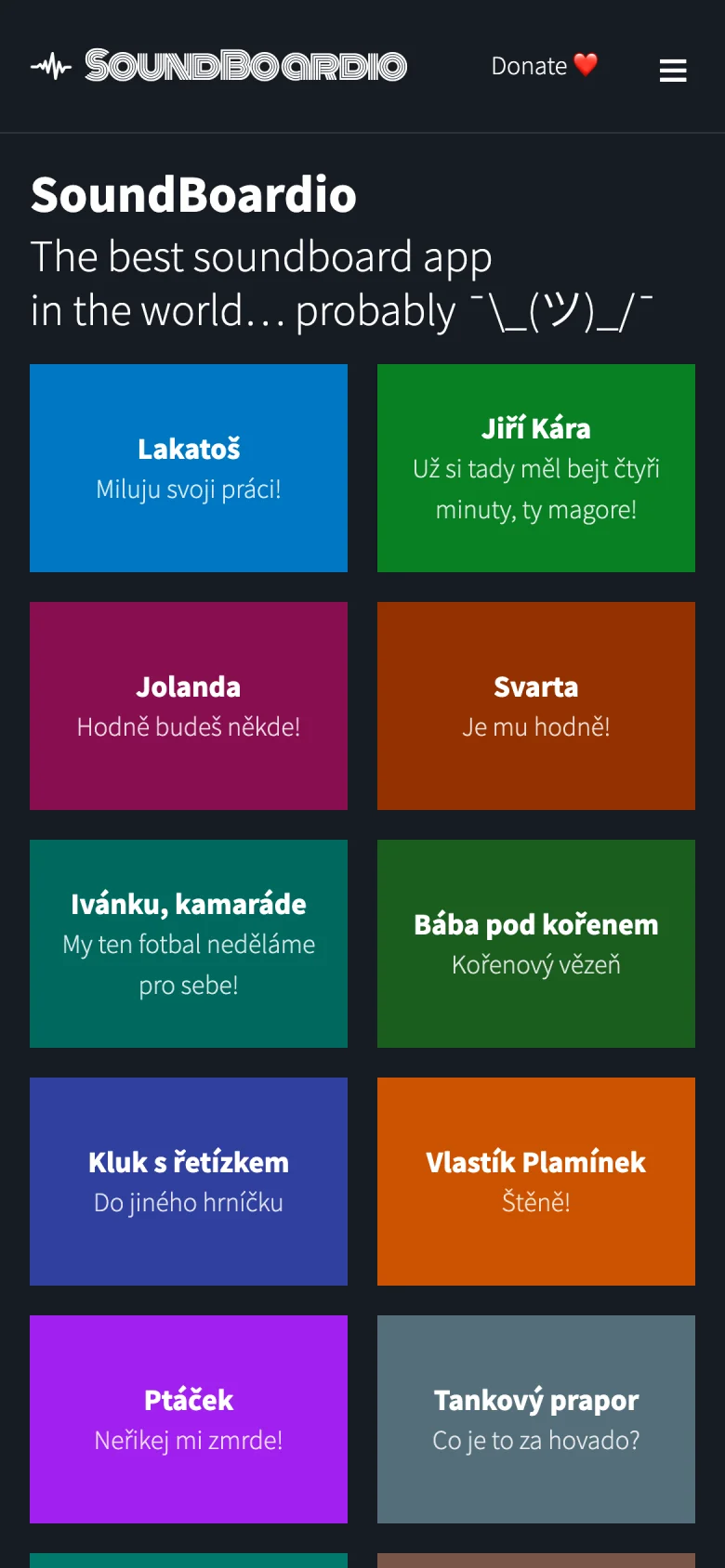
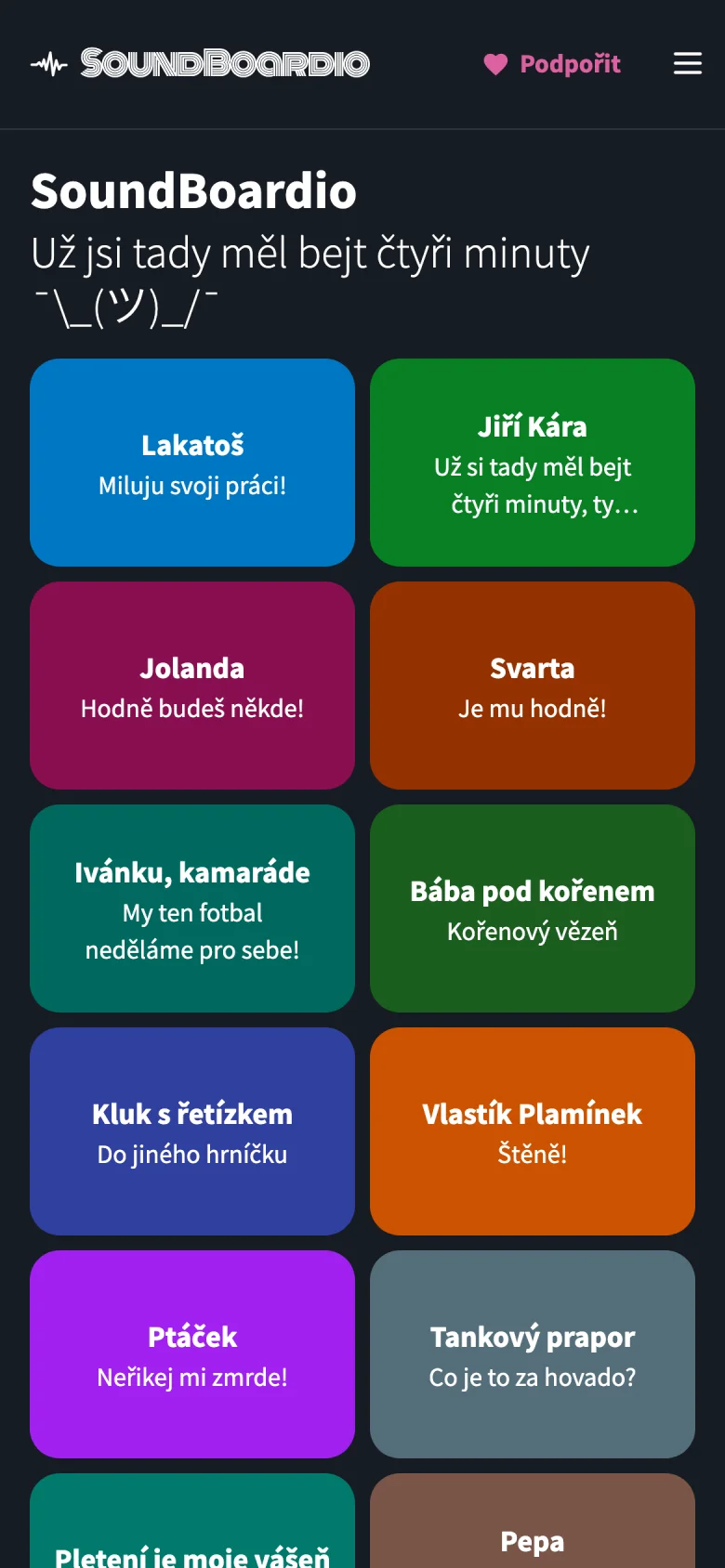
Most of our boards are Czech, so the homepage now opens in Czech, with an English version at /en/. Each language has its own address. The board cards picked up the rounded shape of the tiles too.
Making your own board#
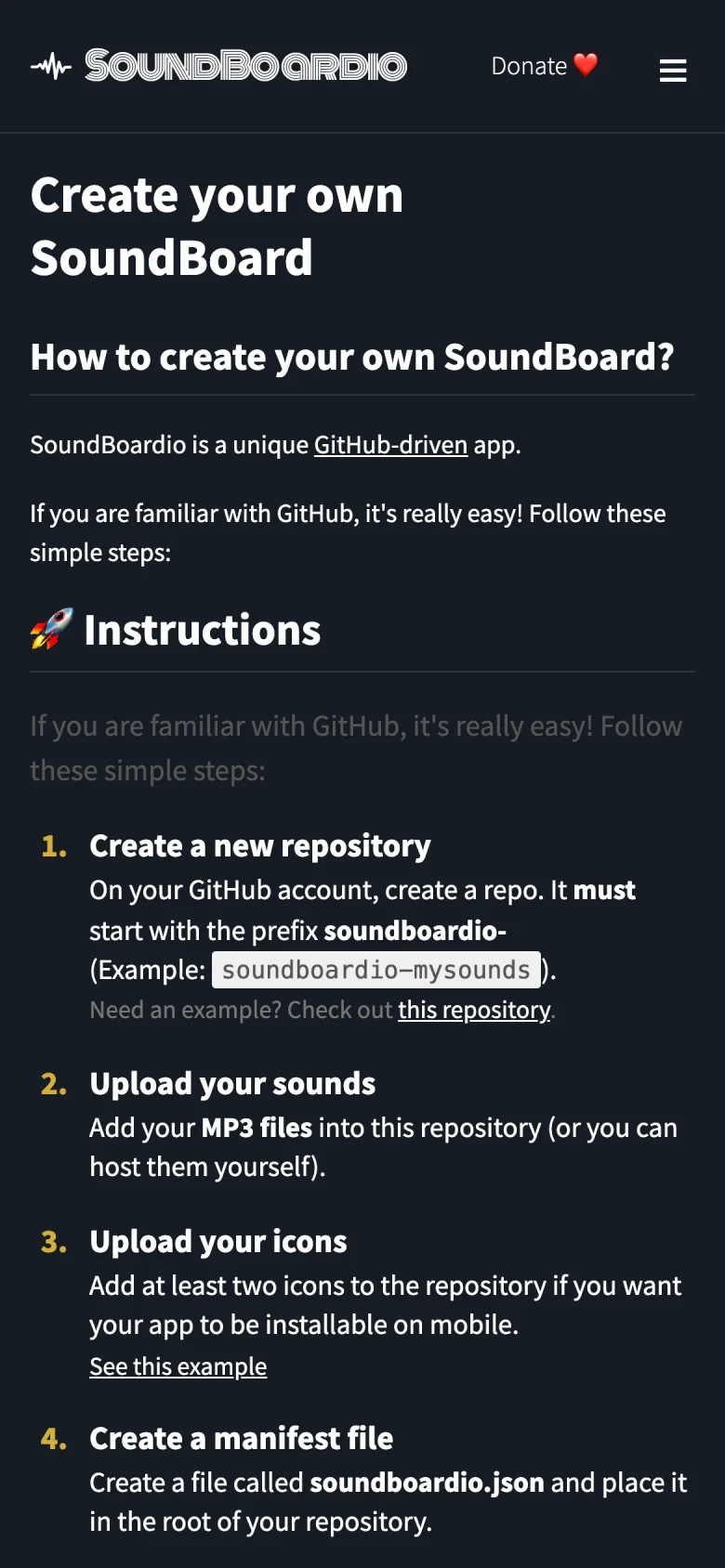
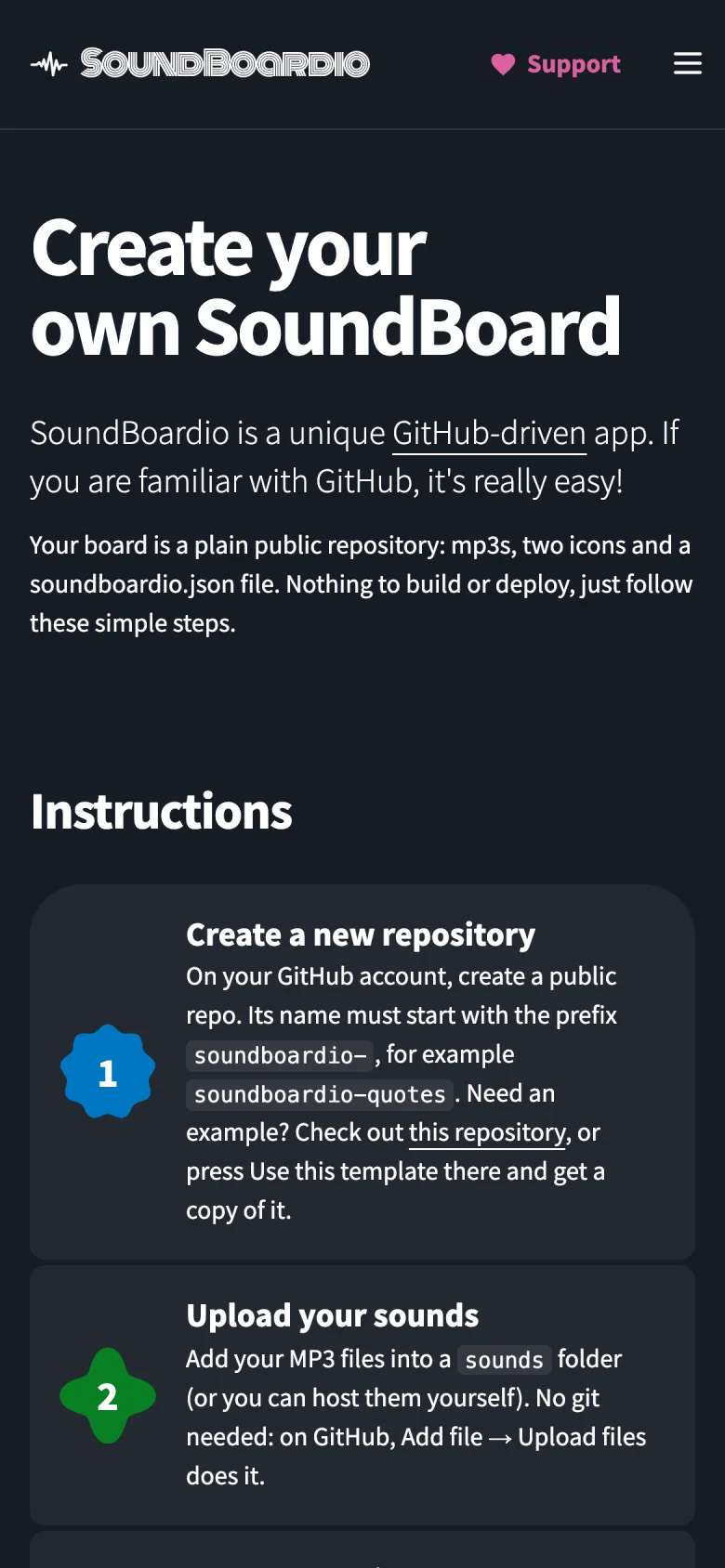
The instructions for making a board are now numbered cards. On a wide screen, the expected repository structure sits beside the steps, so you can compare it with your files as you go.
A validator that points to the problem#
The validator now explains errors in the configuration and shows the surrounding lines. An extra comma used to produce “Expected double-quoted property name in JSON at position 1390”. Now it points to the line and explains the comma. That is a small change worth keeping even without the new look.
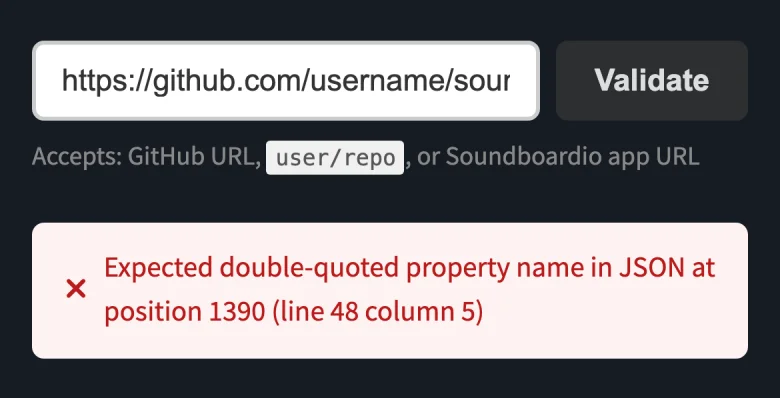
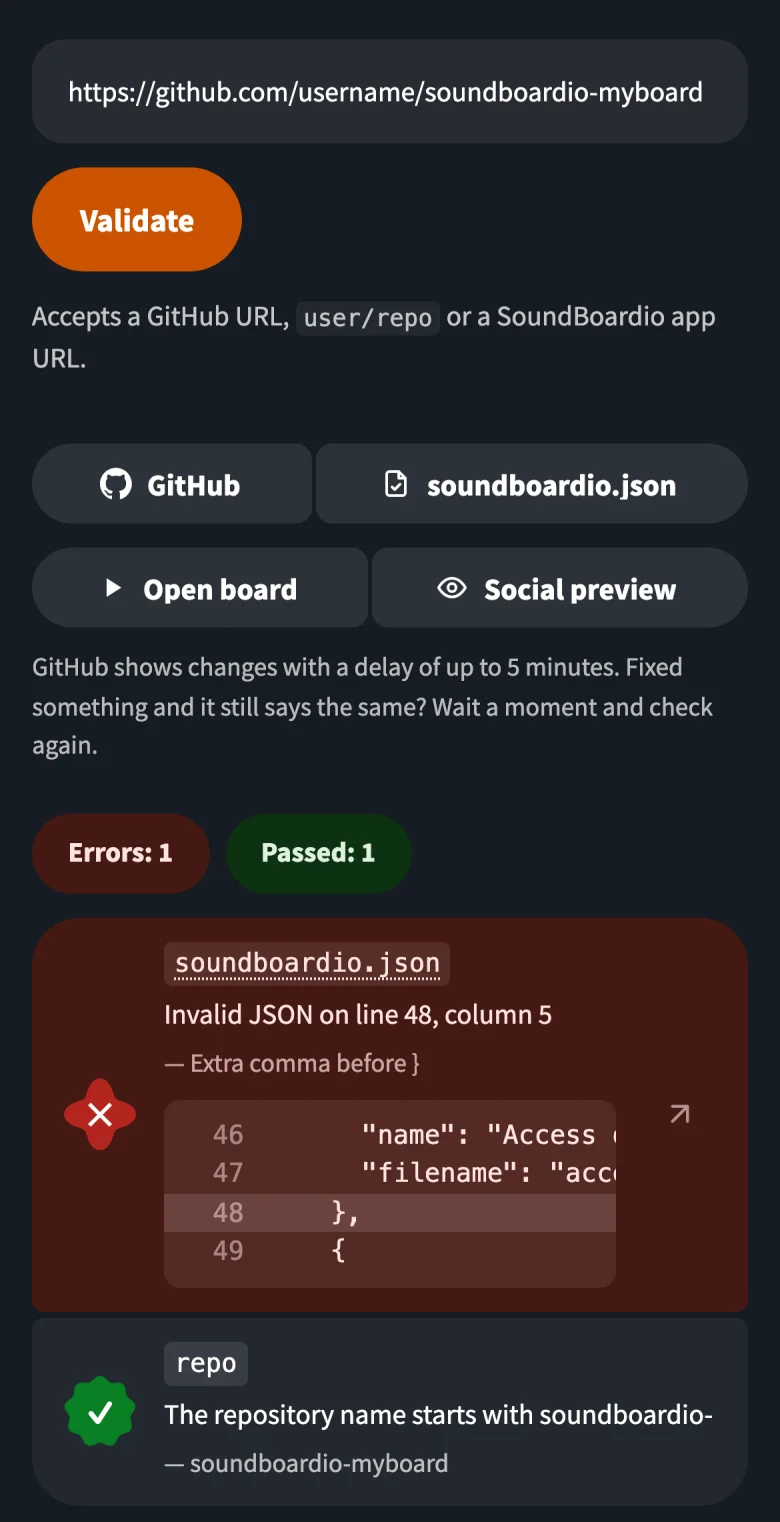
Both screenshots use the same configuration file with one extra comma.
Try it#
Try a few sounds on Meeting: Survival Kit, then share one with someone who hasn’t heard it. Feedback goes to our Discord.
There’s also a separate post about letting AI agents find a quote for you.
